The automated back office.

Bills in. Invoices out. Bank reconciled. You approve every entry, inside Xero or QuickBooks.

Free to start. No card required.

What you can do

Every job in the back office, automated.

Pick a job. Watch it run.

Every document, read and coded.

Invoices, receipts and statements arrive as PDFs, photos and forwarded emails. Synced reads each one, extracts the fields and proposes the coding, with a confidence score on every line.

  • Supplier, dates, line items and tax, extracted field by field
  • Coding suggested from your chart of accounts and past decisions
  • Duplicates caught before they reach the ledger
Why Synced

What makes Synced different.

In control

AI powered. Human controlled.

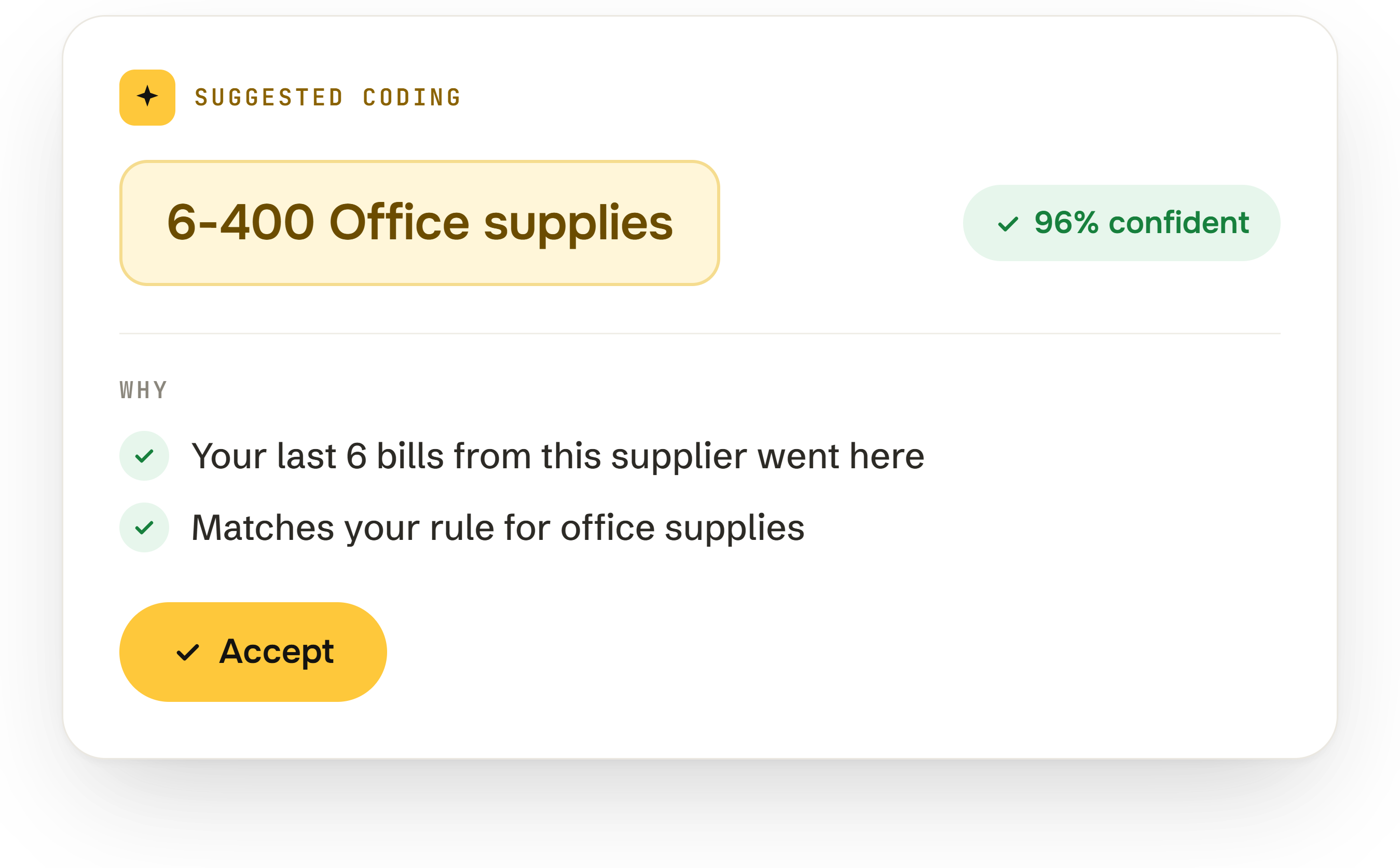
AI reads each document, proposes the coding and prepares the entry. You approve it. Nothing posts without your sign-off, and every entry carries its source document, its reasoning and a confidence score, with an audit log of who approved what, and when.

A bill from Acme Office Supplies waiting for approval, with the agent's suggested coding, a confidence score, and Approve, Edit and Reject buttons.
Where you already work

Synced into the tools you already use.

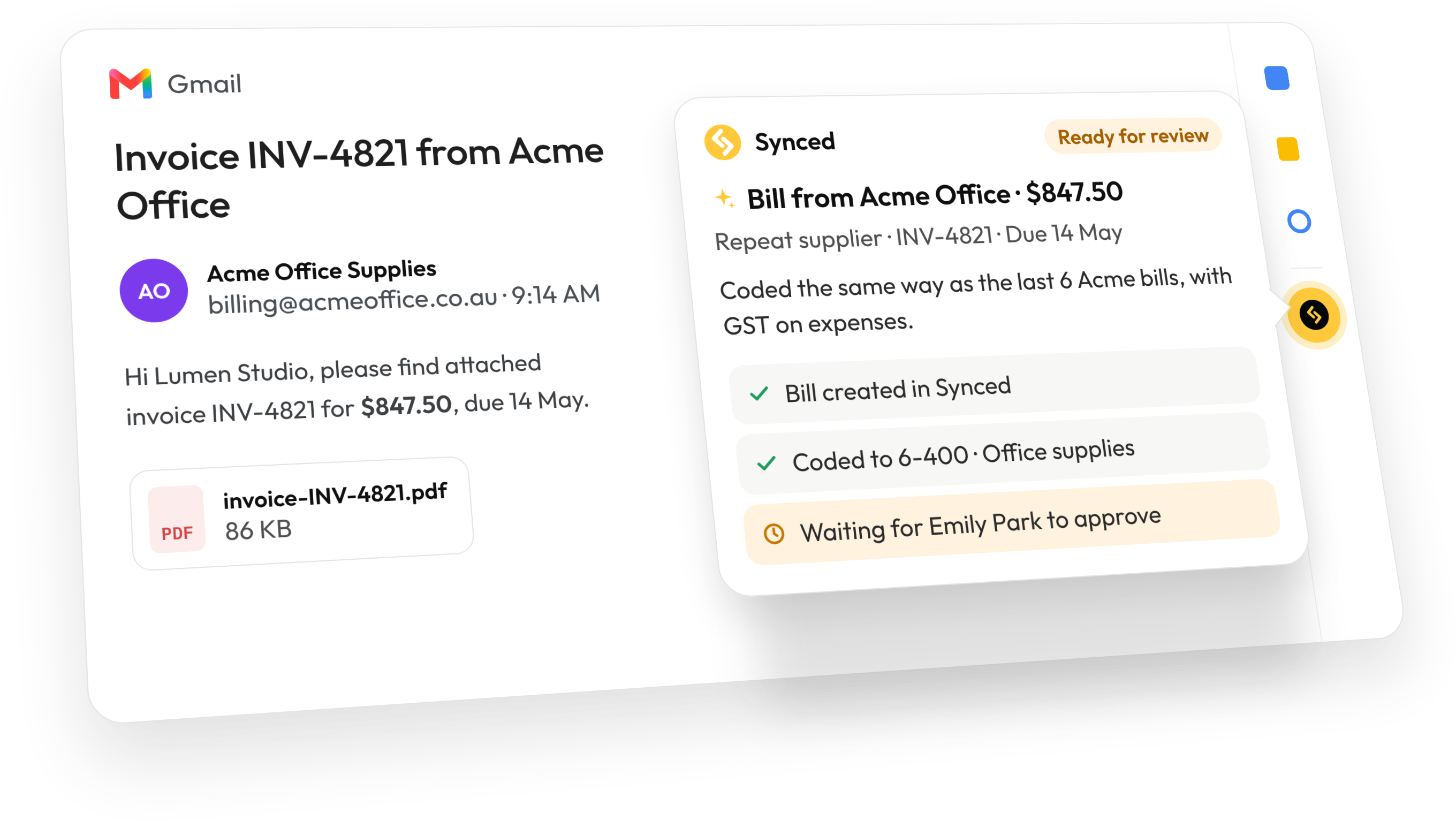
Capture a bill from Gmail with the Chrome extension, or from Outlook with the add-in, in one click. Forward it, upload it, or snap it in Synced Go on the road. Nothing to re-key, and nowhere new to look.

An invoice email from Acme Office Supplies open in Gmail, with the Synced side panel showing the bill created, coded to office supplies and waiting for approval.
Xero and QuickBooks

Deep accounting integrations.

Two-way sync with Xero and QuickBooks Online. Your chart of accounts, tax codes, tracking categories, classes, locations and contacts come in, so every entry is coded the way your ledger expects, and approved entries go back out with their full detail. Add an account in your ledger and Synced uses it straight away.

Synced syncing both ways with Xero and QuickBooks Online: chart of accounts, tax codes and contacts come in, approved entries go back out.
Workflow builder

Build your own automation. Run it right here.

Pick a trigger, add a condition, add actions. Then press Run and watch what happens to a sample bill.

app.syncedhq.com/automate/flows
Draft

Press Run to see what this workflow does to a sample bill, or pick a step for its detail.

Any step that touches your ledger waits for your approval. Nothing here is saved; sign up to build the real thing.

Mobile

Take Synced on the go.

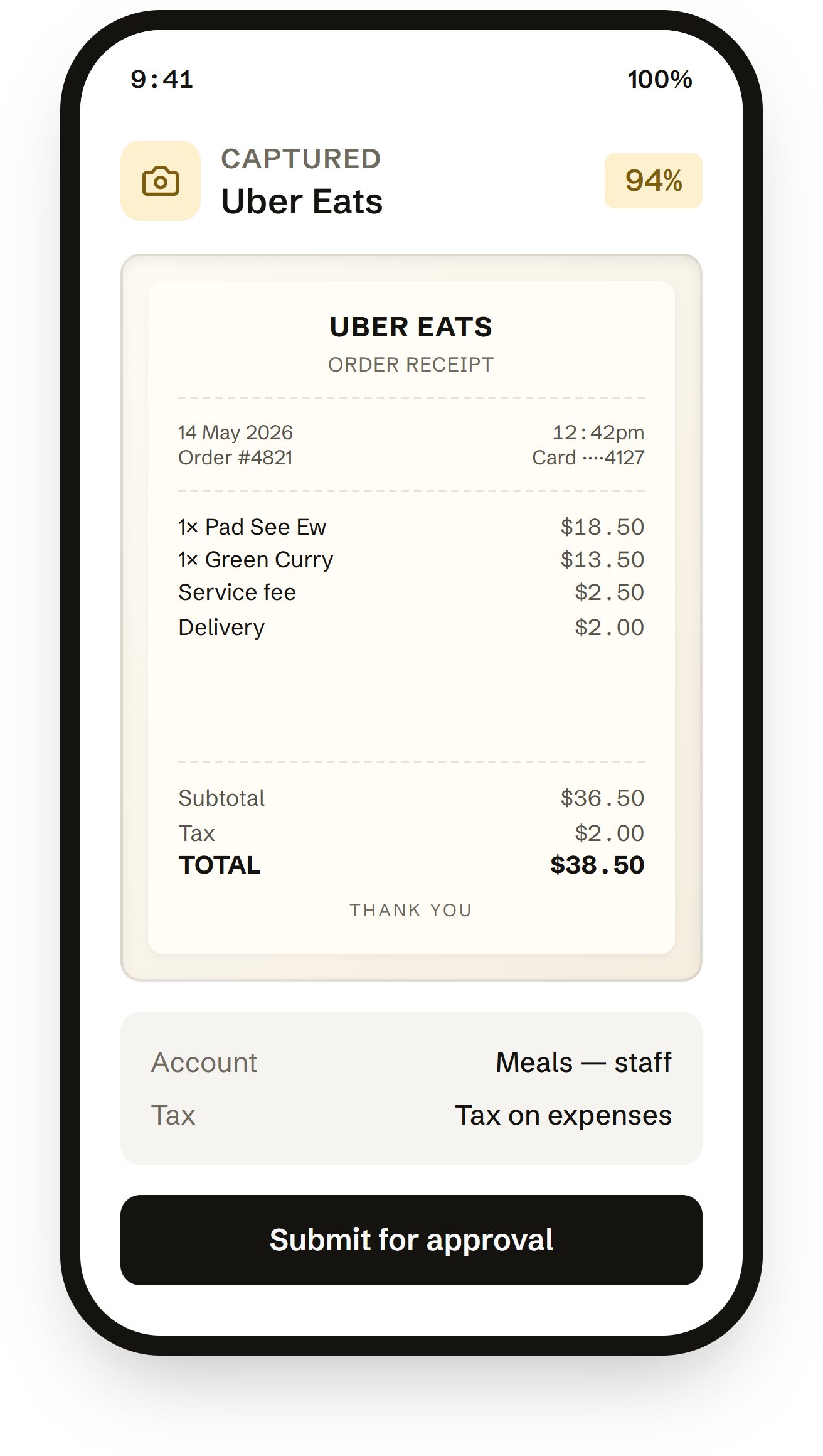
Snap a receipt on the way back from the warehouse. Approve an expense report from the taxi. Synced Go keeps the workflow moving when you're not at a desk.

  • Snap or upload receipts in seconds — Synced codes them from the photo.
  • Approve or reject proposed entries from the review queue on the go.
  • Works offline — captures queue up and sync when you're back online.

Available on iOS and Android. Free with every Synced plan.

9:41100%
Captured
Uber Eats
94%
UBER EATS
Order receipt
14 May 202612:42pm
Order #4821Card ····4127
1× Pad See Ew$18.50
1× Green Curry$13.50
Service fee$2.50
Delivery$2.00
Subtotal$36.50
Tax$2.00
TOTAL$38.50
Thank you
AccountMeals — staff
TaxTax on expenses
Pricing

Start free. Scale when you're ready.

Free forever for a solo owner. Upgrade for more documents, approvals and entities, and top up with credits any time. No credit card.

Free

For a solo owner getting the books under control.

$0forever

15 documents / month

Starter

For a small team running real volume.

$30/month

200 documents / month

Grow

For a growing business with approvals and entities.

$79/month

1,000 documents / month

FAQ

Questions, answered.

Anything else? Write to hello@trysynced.com.

Start free.

Connect Xero. Drop in a bill. Watch it get coded.