Synced
Accounts Payable

Pay suppliers without the paperwork.

Capture bills from email. Match them to purchase orders. Route approvals to the right person. Post payment files. No chasing, no spreadsheets.

What Synced automates

The jobs the agent owns.

Bill capture

Forward supplier emails or upload PDFs. Synced extracts line items, tax, and due dates.

PO matching

Two- and three-way matching against purchase orders and goods receipts.

Approval routing

Policy-aware routing: amount thresholds, department heads, and escalation paths.

Payment files

ABA, BACS, or ACH files generated for batch upload — or direct pay via your bank integration.

Supplier database

Bank details, payment terms, and contact info maintained automatically.

Duplicate detection

Duplicate bills, inflated amounts, and suspicious line items flagged before they pay.

Before vs. after

Your workflow, rewritten.

Before Synced
  • Chase bills from the team's inboxes.
  • Manually enter line items into Xero.
  • Forward for approval. Wait. Remind. Wait.
  • Export a payment file. Hope it balances.
With Synced
  • Suppliers email bills; Synced captures them directly.
  • Bills posted with correct coding and GST.
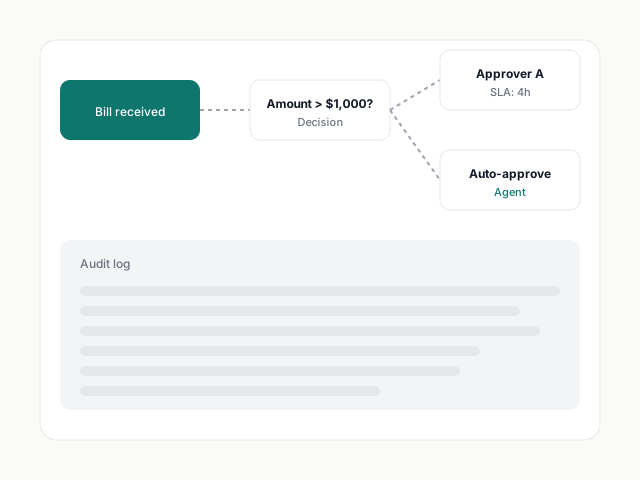
  • Approvals routed by policy, SLA-timed.
  • Payment file generated in one click.
Approvals

Policy you can read in plain English.

Write rules like "bills over $1,000 from marketing need Sarah's approval." The agent enforces them and escalates when SLAs slip.

  • Amount, department, and supplier-based routing
  • SLA timers with auto-escalation
  • Delegations during leave
Approval workflow with policy rules and SLA timers
Supplier hub

Every supplier, every bank detail, in one place.

Synced extracts supplier bank details from bills and keeps them current. New supplier? The agent verifies ABN/VAT and flags anything suspicious before you pay.

  • ABN / VAT / EIN verification
  • Change-of-bank fraud detection
  • Payment history per supplier
Supplier profile with bank details and payment history
Ledger depth

Works with your chart of accounts.

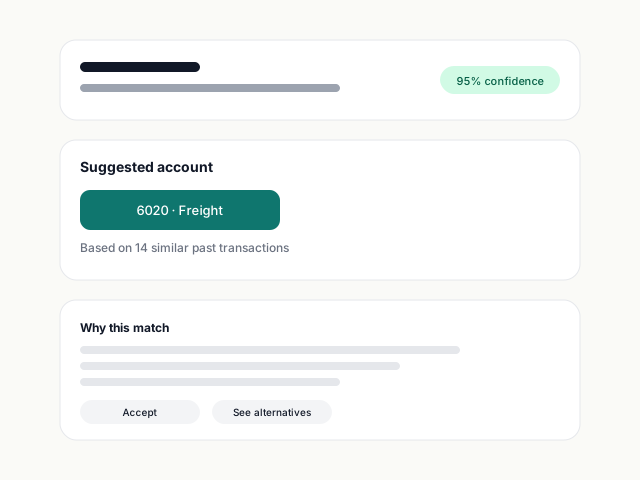
Bills post to Xero or QuickBooks with the right account, tax code, and tracking category — every time.

Our agent codes ninety per cent of transactions on the first pass. I review exceptions, approve, and sync — that's the whole job.
James Morgan
Founder, Foundry Fitness
Read the story →

Common questions.

Does Synced pay bills directly?

Synced generates payment files you upload to your bank, or connects via our direct-pay integrations on supported banks. You always approve the batch.

What about duplicate bills?

Flagged before approval. The agent compares supplier, amount, invoice number, and dates across your history.

Can I keep my existing approval emails?

Yes. Approvers can act directly from email — no app required for people who don't live in Synced.

Start free. Connect Xero in 60 seconds.

No credit card. No forced demo. Connect Xero, drop in a bill, and watch Synced extract, code, and ready it for sync — in seconds.