For accounting practices

Every client's books, one view.

Client email comes in, tasks go out, and every ledger's status sits on one screen. Built for firms running Xero and QuickBooks clients side by side.

Practice view

Run the practice, not the inbox.

Every client at a glance

See which clients need you today.

Documents waiting for review, unreconciled bank lines and overdue bills, per client, with a status that says whether Synced is working, waiting on you, or has lost its ledger connection. Open the client, log time or fix the connection from the same row.
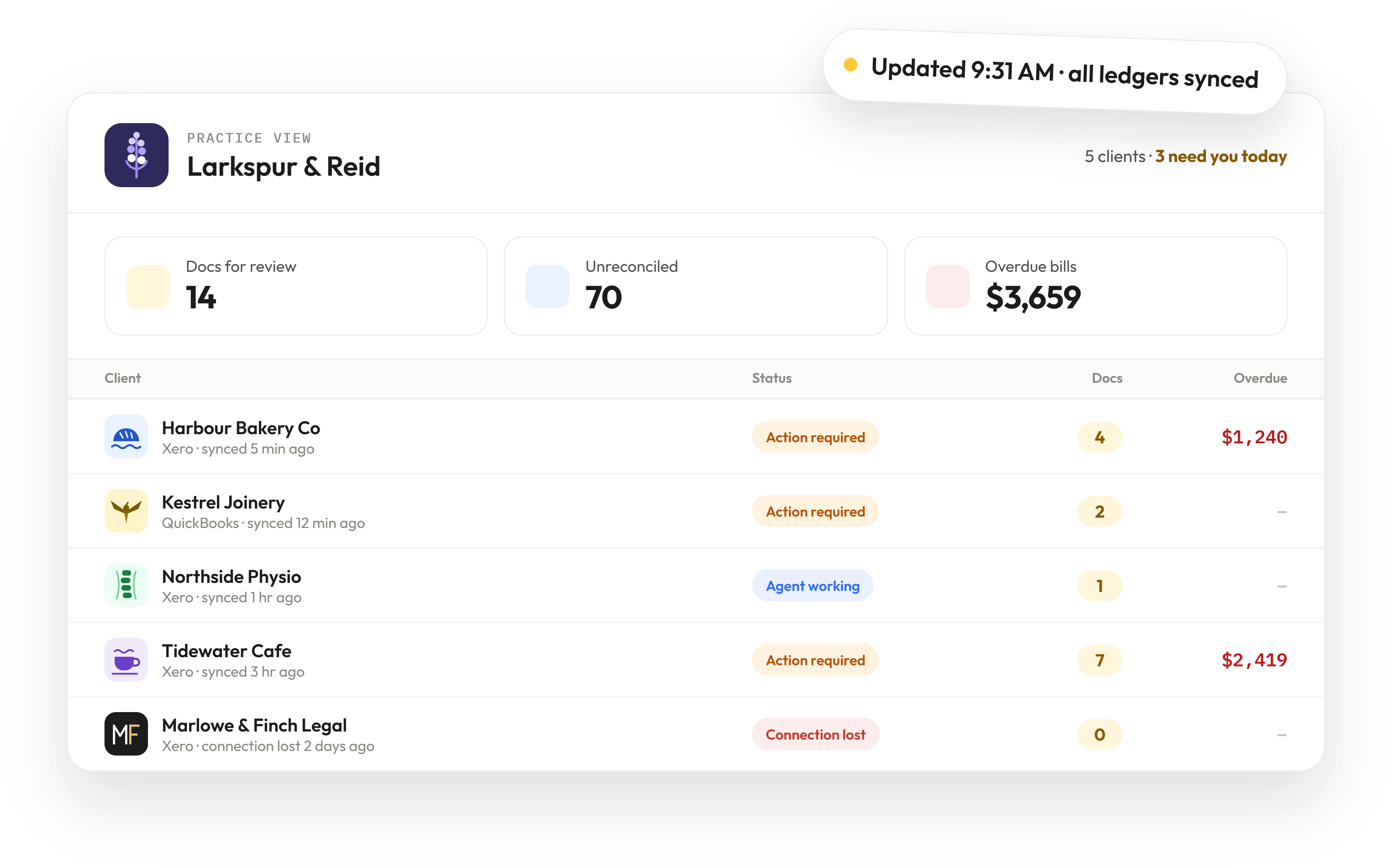
The practice home for Larkspur & Reid: docs for review, unreconciled lines and overdue bills across five clients, each with a status pill.
Client email in

A client's question becomes a task.

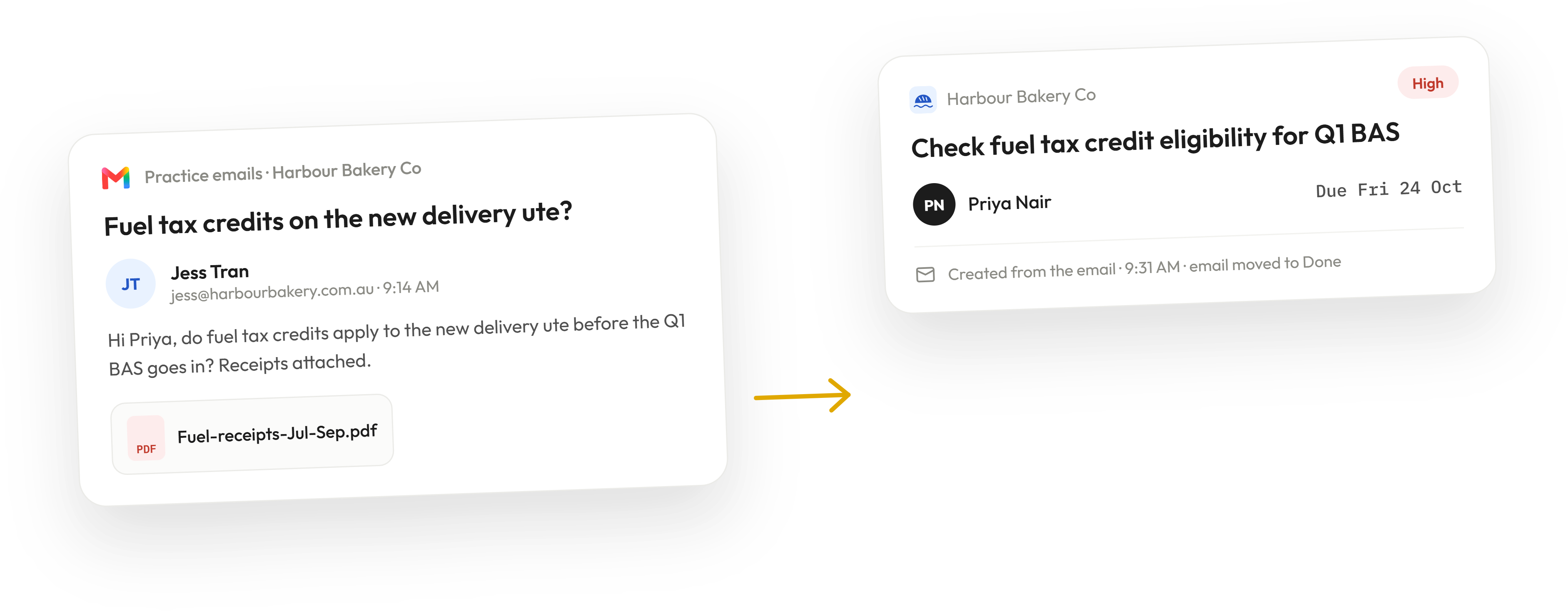
Tell Synced which addresses belong to each client and their email lands in the practice inbox, filed to the client. One click turns a question into a task: assigned to the client's lead, due date set, the email and its attachments on the task.

An email from Jess Tran at Harbour Bakery asking about fuel tax credits, and the task it became: assigned to Priya Nair, due Friday, marked High.
Team board

Who's doing what, by person.

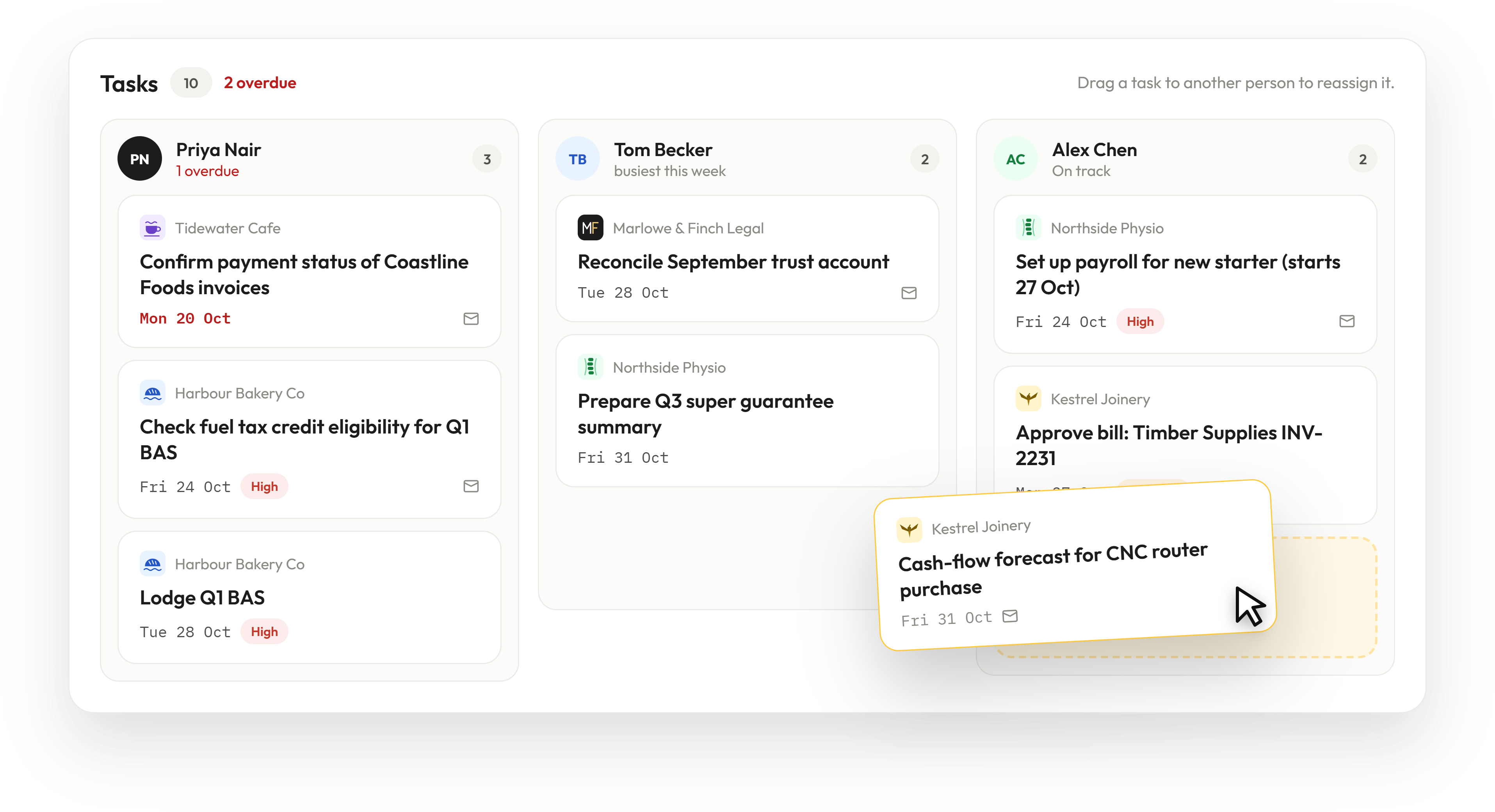
Every task across every client, grouped by who owns it, overdue first. Drag a task to another person to reassign it. Approvals raised by your workflows land in the same queue, beside the work that came from email.

Tasks grouped by Priya Nair, Tom Becker and Alex Chen, with a Kestrel Joinery task being dragged into Alex's column.
Correspondence

The whole conversation on the client.

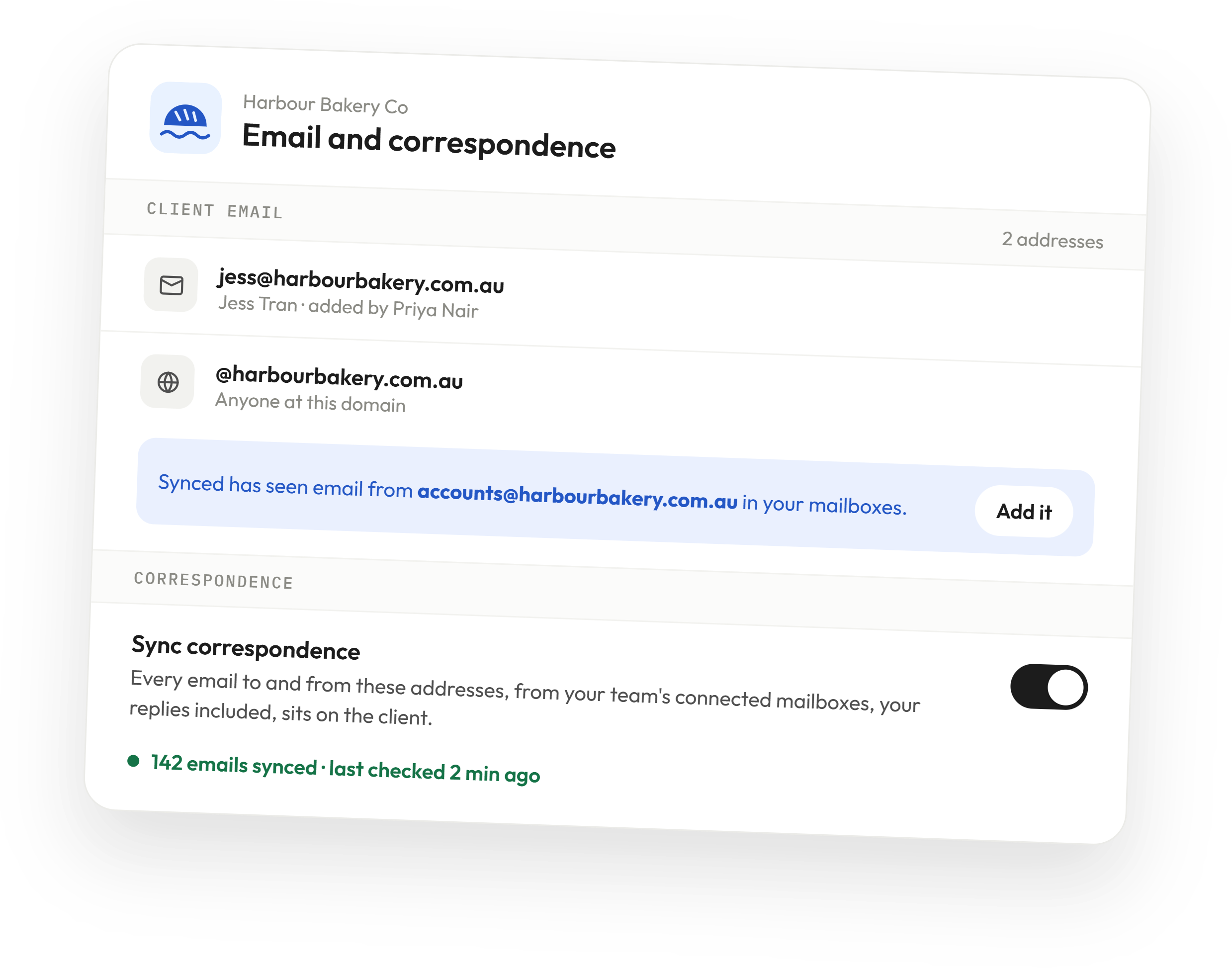
Turn on correspondence sync and every email to or from a client's addresses, from any of your team's connected mailboxes, your replies included, sits on the client's record. Go back ninety days or twelve months. Synced even suggests addresses it has already seen writing to you.

Harbour Bakery's email and correspondence settings: two client addresses, a suggested third, and correspondence sync switched on with 142 emails synced.
The Firm plan

One login. Every client.

Unlimited client workspaces, per-client billing options, SSO and role-based access, and a co-branded portal for your clients. Dedicated onboarding moves your existing clients across.

Questions, answered.

Does Synced read all of my firm's email?

No. Only email to or from the client addresses you add, and only from the mailboxes your team chooses to connect. Everything else stays where it is, and Synced never moves or deletes a message.

Can clients see the practice view?

No. The practice view is for your team. Each client uses their own Synced workspace and sees only their own books.

What happens when a client's ledger disconnects?

The client's status changes to Connection lost on the practice home, so you see it before anything piles up. Reconnect from the client's row and Synced catches up on what it missed.

Bring your clients across.

Tell us how many clients you run and we'll set up the Firm plan with you.